Budgets, timelines, teams, and approvals — one system, scoped correctly to who's actually allowed to see and touch what.
Not a flat feature list — each tool lives where the work actually happens.
Tasks and subtasks laid out on a real calendar, colored by status, zoomable by day, week, or month.
Drag work through To Do, In Progress, On Hold, and Completed — filterable by department, cost, or owner.
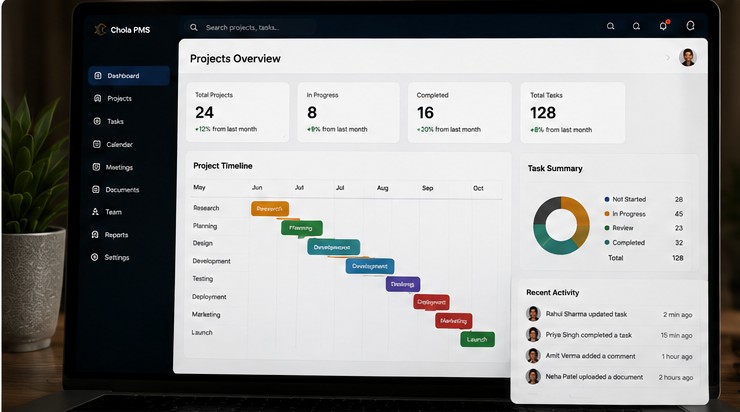
A live pie chart of where every task in a project or department actually stands, not a snapshot from last week.
Bar charts comparing estimated cost and time against what actually happened, task by task.
Project completion rolls up from real subtask progress — no one has to manually update a percentage.
Actual cost is computed automatically from every task and asset underneath a project, not entered by hand.
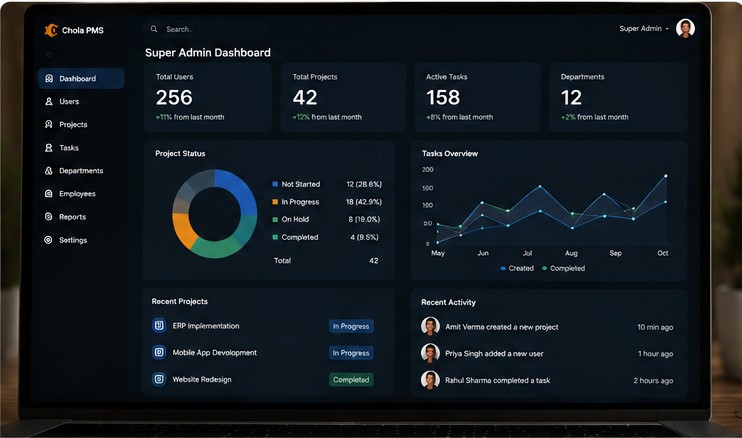
Super Admin, Admin, Team Leader, and Member — each with a fixed, non-negotiable scope of authority.
No one approves themselves. Every account is reviewed by the tier directly responsible for it.
You see what's in your own department — approval and visibility never quietly leak across teams.
Someone working across two teams is scoped to both, correctly, everywhere in the system.
New projects stay locked — no tasks, no assignment — until Super Admin signs off.
Departments are managed centrally and reflected instantly everywhere they're used — no hardcoding.
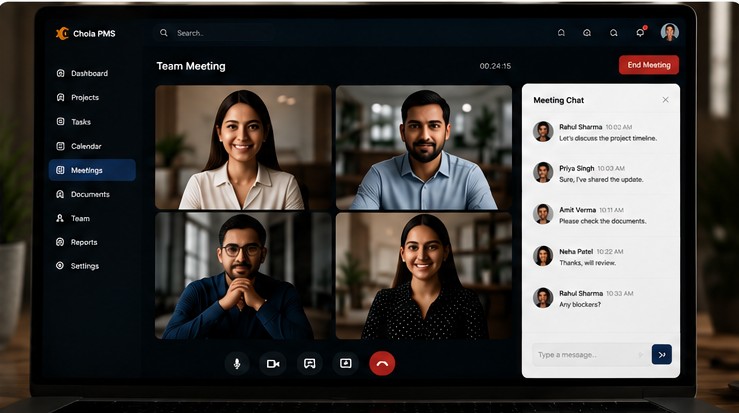
A live discussion thread scoped to each project — separate from personal messages, always on-topic.
One-to-one conversations between colleagues, with read receipts and instant delivery.
Schedule, invite, and view meetings on a shared calendar — never buried in someone's personal notes.
Track equipment and purchases against the project or task they belong to, with real cost attached.
Photos, files, and reports live next to the work they document — searchable, not scattered across email.
Choose whether Admins, Team Leaders, or Members can see a project's total budget — per project.
Every tier verifies the one beneath it. No one climbs by asking themselves.
Verifies every Admin, approves every project, manages the department list. One authority, organization-wide.
Creates projects, verifies Team Leaders in their own department, assigns approved projects to lead them.
Verifies Members in their department, builds out tasks and subtasks against approved projects.
Breaks assigned tasks into subtasks, delegates to peers, and updates their own progress directly.
Narrower at the top, broader at the base — access mirrors the shape of the organization itself.
Every task carries an estimate and a result — cost and duration both — so drift shows up before it becomes a surprise, not after.
Project chat stays with the project — anyone with real work on it can see the thread, and it never gets mixed up with someone's personal messages. Direct messages exist too, for the conversations that aren't about any one project at all.